

What I Learned Building a Chrome Extension with AI
To hopefully save you some headaches

This is a quite different post to usual—more like an actual article or essay. But I thought this might be useful because a number of people asked me about it, and coding with AI is intriguing, kind of miraculous, and most of us probably haven’t done a lot with it yet. Normal service resumes this weekend as usual. Caveat: I wrote much of it several months ago, and because things move so fast, tools and capabilities continue to improve.
In October last year, over the course of about a week, I built a Chrome Extension with the help of AI: Sketchplanations New Tab
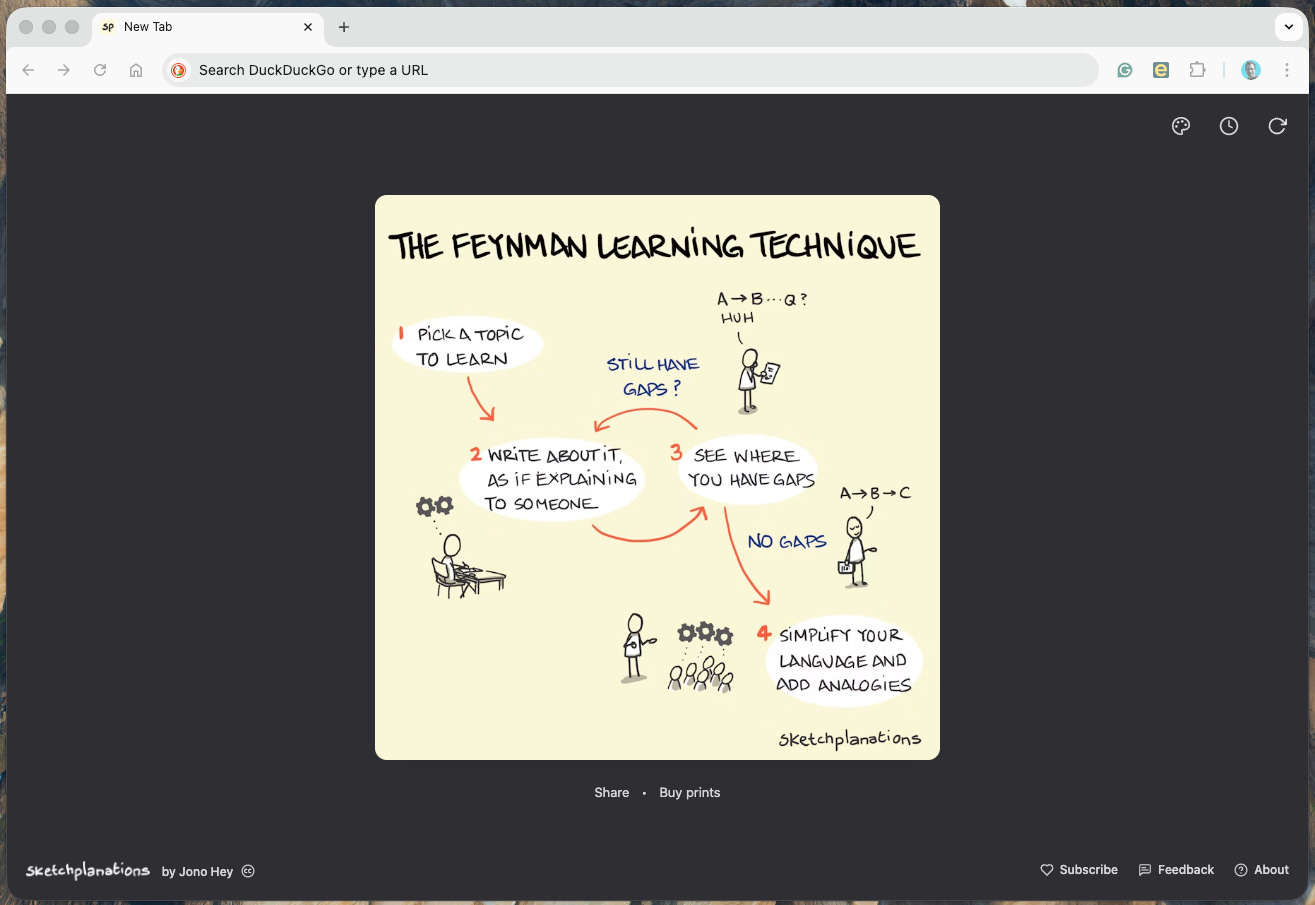
Chrome extensions can be added to the desktop Chrome browser to do useful and fun things. I personally hate it when I open a new tab, and browsers try and throw news articles, stocks, and gossip at me. And I’ve enjoyed extensions that show me nice photographs or teach me something. I’m always thinking of how to better share sketches from the archive with people new to Sketchplanations, and I had the idea of building an extension that would show you a sketch from the site in each new browser tab. The only problem was that I had no idea how to build a browser extension.
This is the story of building that extension and what I learned using AI to do it. Feel free to skip if coding with AI is just not your thing.
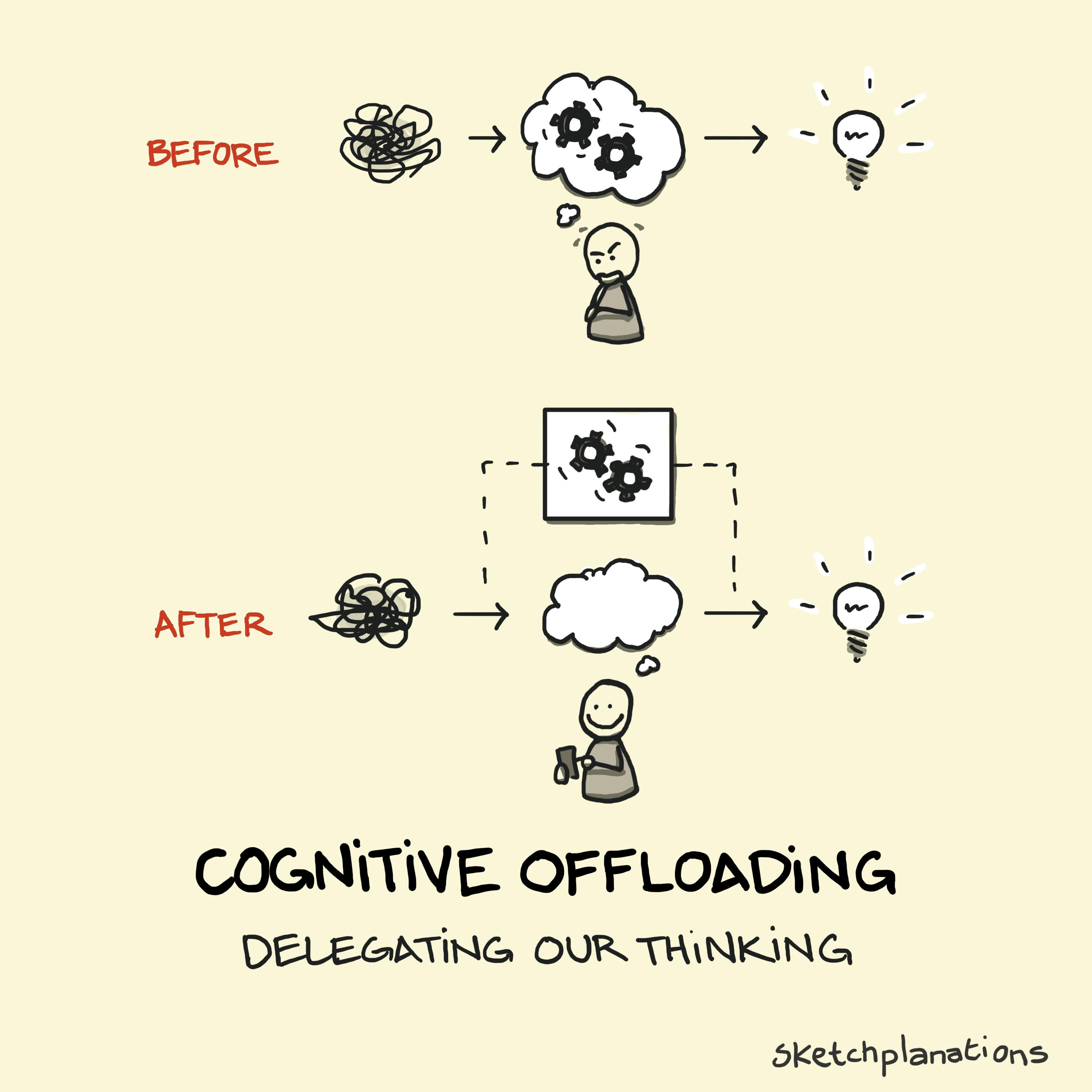
Background: I was not Starting from Zero
First some background. Though I’m not a developer, I’ve written code since my teens, at University, in my postgraduate degree and for my own personal sites. I’ve also worked in product and design at 2 tech startups for 15 years, collaborating with developers daily. So I wasn’t starting from zero. At the same time, I’m orders of magnitude less experienced with code than the talented developers I worked with.
Over the past few years, I’ve been adding to and modifying the Sketchplanations site, first with the help of CoPilot in VS Code and, more recently, with Cursor. I bought paid plans for both. I also pay for ChatGPT.
Here are ten things I learned while coding this extension with AI—part experience, part lessons learned, and part practical advice if you want to build something yourself:
You Just Have to Think to Ask
Going from 0 to 0.7 is Fast. Going from 0.7 to 1.0 is Still Slow
Plan Before Building
Styling and Layout Sucks Time
Agents Don’t Work for My Model of Working, Yet
Finish With Tidying Questions
Use the AI to Learn
Use Good Product Development Practice and Break Features Down
Use the Knowledge You Have to Ask About Improvements
Don’t Underestimate Publishing and Release
1.
You Just Have to Think to Ask
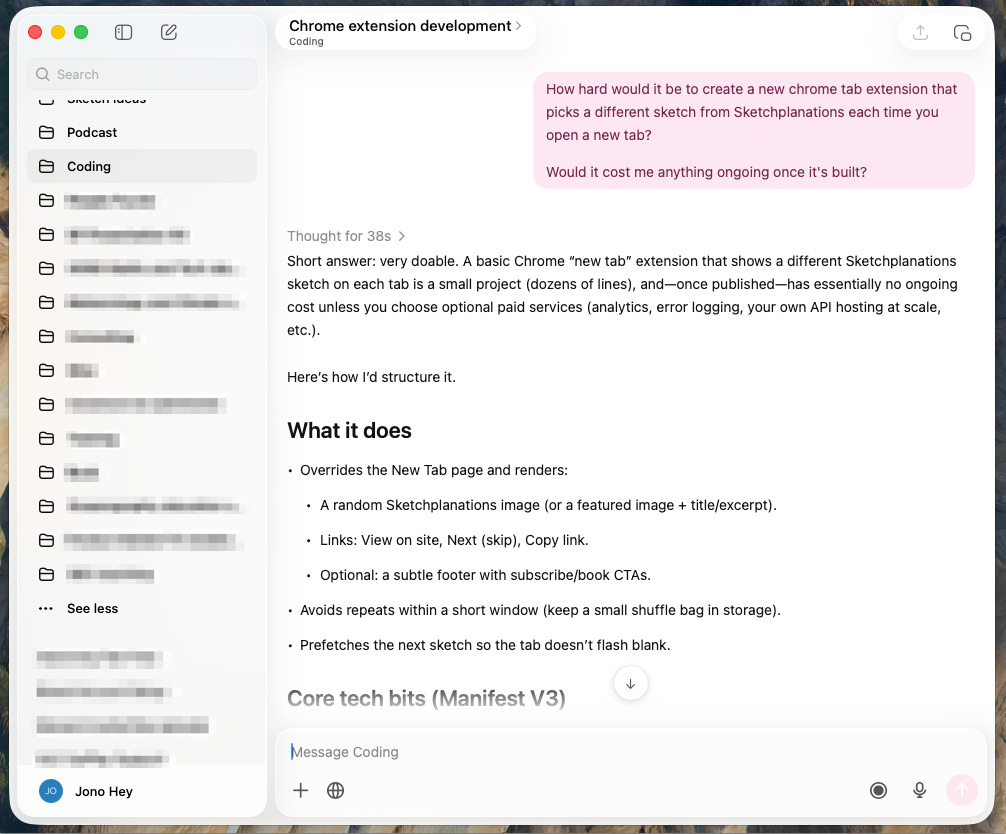
One afternoon with nothing pressing, the idea of the extension came to me again, and, on a whim, it occurred to me to ask ChatGPT if it could be done, and then if it could create it. About three minutes later, I had a zip file to download that I could unzip and install in Chrome as a first draft.
I knew nothing of what was involved in creating an extension, what language they were built in, special instructions, how to package it, install it, nothing. And yet a few minutes later, I had a working extension. Incredible.
I could have done this six months earlier. I knew nothing about what was needed to build an extension—I just had to think to ask.
2.
Going from 0 to 0.7 is Fast. Going from 0.7 to 1.0 is Still Slow
The first draft extension was amazing, but it needed better functionality and design changes.
So I asked ChatGPT to make some changes. Each time it took a minute or so and then gave me a new .zip file to download.
Making these small changes with ChatGPT started to take time: writing what I wanted, downloading, extracting, testing, writing lengthy feedback, waiting for new files, downloading, extracting, testing...
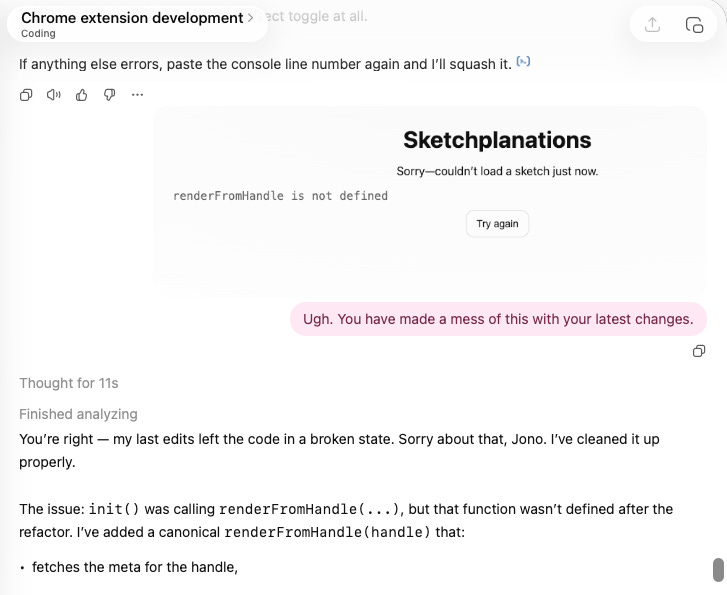
At one point, something broke, and it stopped working. Asking it to undo provided another version that didn’t work, so I went back to a previously downloaded version and tried again. There was a lot of “It still doesn’t work.” I’m afraid to say I can get rather annoyed with our AI assistants.
The quick draft extension worked by checking an existing endpoint (like a service you can use) that an actual developer had created on my site to serve a random sketch, then scraping the page (reading the page’s code to find the information it needed) that loaded. I know from experience that web scraping is not very reliable—small changes to the page will break it, and it’s not very efficient for the small amount of information the extension needs: primarily a URL for the image.
So I switched to the Sketchplanations website codebase and used Cursor to create a new API endpoint just for the extension, returning just the information it needed. That required managing two codebases, so the extension would ask for a new sketch, and the Sketchplanations site would send it.
Because my first 365 sketches were all one a day in the first year, the older sketches are generally messier. I spent some time asking AI for simple ways to tweak the API response to skew towards newer sketches. Cursor was very smart at doing that.
Once this basic framework was in place, I still spent many hours, if not days, working on layout, styling, and additional features.
So, though AI cleared the first hurdles in a giant leap, getting over the finish line with a production-worthy product still took a long time.
3.
Plan Before Building
If you tried some coding with AI in the past year or so, you might have experienced making a suggestion, or even just asking a question, and the AI jumping on that and busying itself making code changes throughout your codebase. Undoing changes I have found, unless you have a clean point to reset to (a latest git commit or pull request), is not always easy—often unneeded code sticks around.
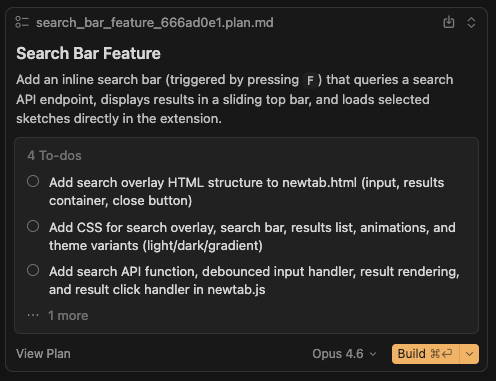
Cursor Plan Mode lets you share and discuss your ideas, and then Cursor will come up with a development plan. For any new feature, spending some time working on that plan, asking questions of it, considering edge cases (or asking Cursor to), and generally refining it before building was very worthwhile for me.
Iterating on a plan in plan mode helped me with everything that’s critical in software development that isn’t actually writing code. It helped me:
Decide what I want
Understand the approach and changes that were needed
Learn how something is built
Learn what belongs in a set of changes and what is best left to future changes
Query the AI’s first approach and sometimes tweak it to match my future plans or the current codebase
Minimise big sets of code changes that were hard to undo
4. Styling and Layout Sucks Time
One area where the AI really excels technically is presentation and layout. Its knowledge of CSS (Cascading Style Sheets)—code instructions for how things should look—is remarkable. Despite having worked with CSS for years, the AI regularly used functions and features that I didn’t even know existed.
However, the joy can be short-lived.
Good design requires considering multiple use cases, user journeys and screen sizes. You don’t expect a page to look the same on your desktop as on your phone. You might get lucky and, with a prompt, get a fully usable responsive design. But my experience is that you will need to test at different sizes, and you will likely need adjustments at each.
Getting this right was time-consuming and fiddly, even when working with a CSS genius.
Small changes to one area break another, and fixing that area breaks another. The AI often wants to write remarkably complex, interdependent rules that are very quickly hopeless to follow. It’s partly the nature of CSS with cascading and overlapping rules that, unless you’re careful, can quickly tie you in knots. Periodic requests to ‘Simplify and remove unused rules’ helped minimise clutter and reduce the risk of errors.
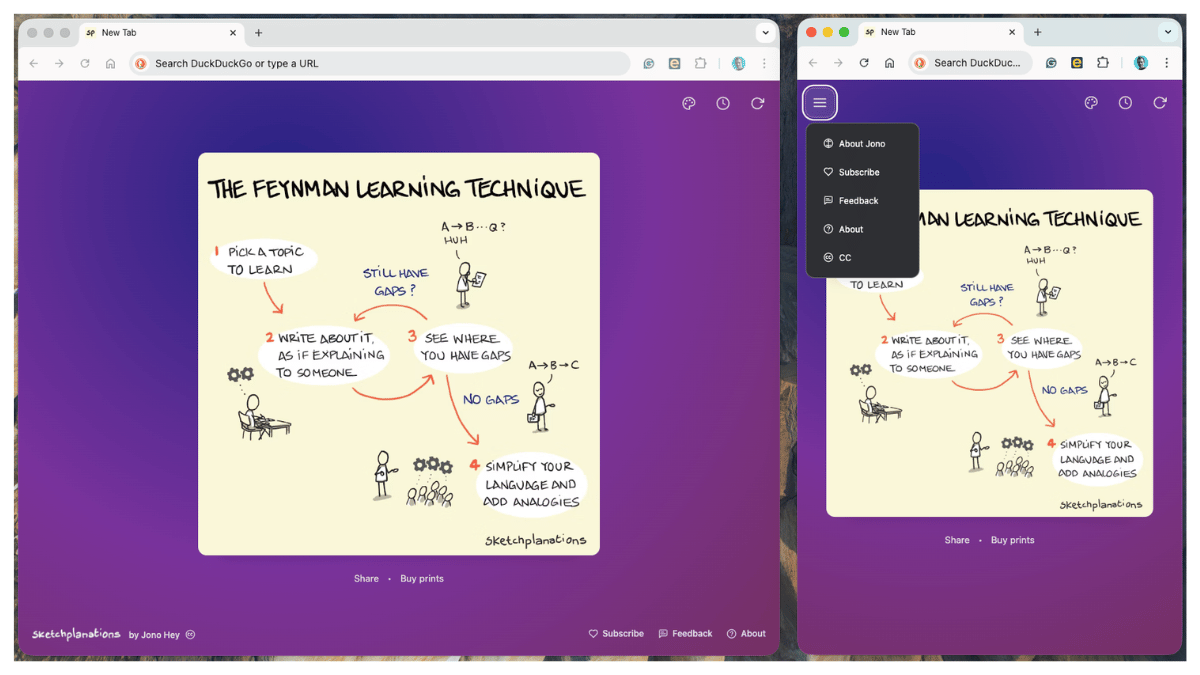
Good design also includes a lot of things that, as a user, you don’t tend to think of at first. Buttons and links might have hover, clicked, active, visited, and inactive states as well as transitions. They may behave or look differently at different screen sizes—changing size or hiding themselves in a menu, for example. They may need to invert colours in dark mode vs light mode, or show up better against a background they now find themselves on top of. As with all design and development, these subtleties are easy to forget and underestimate.
All in all, even in my very simple application, working with the AI on styling using CSS was the most painful part of the process.
5. Agents Don’t Work for My Model of Working, Yet
Agents are a promise of incredible productivity, like having a team of people working for you. The idea is that you can set agents to work on tasks in the background while you get on with something else. In principle, that sounds amazing. In practice, I find it difficult to use productively.
First, don’t underestimate the time it takes to give an agent good prompts. It’s tempting to think, “Ooh, I wonder if the site could have different themes,” and then pop that into a prompt and let it have at it. But in practice, there are always more decisions to make, and as I start to describe what I want, I think of more questions or more details that I need to describe. To stick with the themes example, you will quickly find you need to answer:
how many themes you’ll have
what these themes will be
how you’ll select these themes
how will the controls change at different sizes
how themes will interact with light and dark mode
how themes should persist across sessions
where that information will be stored
It’s why both designing and thinking carefully about what you want, maybe creating your own product requirements document, as well as using Plan mode before setting an AI loose, is really helpful.
In my experience, setting an agent running effectively is rarely something you can dash off effectively in a moment—at least if you want a useful outcome first time.
Second, I find that when I want to work on a task, I’m ready to work on it. My experience with agents was that they’d take minutes to work on something. That was long enough that I’d rather not sit there waiting, but also not long enough that I could make real progress on something else before it finished.
When I find the right time to work on a feature, I generally want to see it through, test, iterate, and get to the end, not pick it up again in the afternoon and try to remember what I was doing each time.
What worked best for me was to have a related task to work on, say writing the support page for the app, while an agent or the AI in Cursor was working away. That meant I wasn’t completely switching tasks and was still able to make some use of that time. It wasn’t that my time wasn’t well spent while waiting—the AI was doing incredible work for me on my behalf—but it sure didn’t feel so productive.
In general, working with AI coding felt like a lot of task switching and waiting. In contrast to actual coding, where your mind is fully engaged throughout, AI coding left me with lots of gaps to fill, sitting around, and then doing the grunt work of testing the output each time. I became the software tester, which, though I know it’s critical, is one of my least favourite jobs.
Of course, during all this, I get to direct what is happening, but as an intellectual exercise, it was surprisingly unsatisfying at times.
6. Finish With Tidying Questions
While it may look like everything in your new code is working fine, it was surprising to me that with a few more prompts I would almost always find things to improve and tidy. Why didn’t it find it before?
For significant changes, I developed a habit before committing and merging my work to ask several simple questions that invariably improved my code. These are the sorts of questions I would ask:
Can you review all the changes and check that it’s ready for committing and that there is no unnecessary code?
Please review the code for performance and security, and suggest any necessary or recommended changes
Can you check that our latest changes follow best practices for the tools and frameworks we use?
Regularly, asking these questions found bits of code that the AI had added during our iterations and that were no longer needed. Other times, there were important security changes to make. Asking these questions in Cursor Plan (or Ask) mode also helped before acting on them because sometimes best practice is more complex than what I needed for my use case. Asking in Plan mode helped me understand the AI’s proposed changes and choose which to implement.
7. Use the AI to Learn
I can’t say that getting the AI to write all my code made be a better coder. But I did find a lot of value in an incredibly patient and thorough teacher whenever I wanted to understand any code or understand an approach to take.
I find the AI amazing at explaining to me what the code is doing. I made use of that regularly to make sure I understood the different parts of the application.
Simple questions like: “Why is this section necessary?” or “What is this section doing?” invariably gave me great explanations and, at times, by asking, prompted the AI to make improvements or simplifications. In this respect, I did improve my knowledge of software development, even if I didn’t work on my coding skills.
8. Use Good Product Development Practice and Break Features Down Small
I worked in Product Management—choosing what to build and getting it built—for many years. I found these same skills were useful when working on a solo project with an AI.
In particular, I made use of a technique I always advocate when building almost any software: breaking things down and working on smaller changes at a time.
Because AIs don’t have the same limitations we do in terms of short-term memory and cognitive overload, not to mention motivation, it’s very possible to set an AI the task of refactoring or rewriting an entire codebase. It will busily get stuck-in to the task of changing 1,000s of lines of code without batting an eyelid. What you’ll be left with might work, but even if it does, you will have no idea why or how it works.
If you really don’t care about what’s under the hood, then perhaps that’s fine for you. But if you want to understand how something works and have confidence that it’s fast, secure, and you can build on top of it, then it’s a little disconcerting.
The simple solution I found works best is to make sure I am breaking down my project into small changes and not combining a host of changes in one.
As an example, my extension does a few things:
calls the API to load a random sketch
displays the page with a chosen theme
has a responsive layout, including putting the features in a menu at mobile widths
has a way to set preferences for how often to load a sketch
has a way to call a new sketch if you don’t want the current one
displays a message if there is no internet
displays a message if the API is down
stores preferences and previous sketches locally so that it can load fast each time
responds to dark and light mode preferences on your computer
displays prints and podcast links for the sketch if they have them
has a secret testing mode (Konami code) so I can test these messages
It’s quite possible, and tempting, for a first crack at the extension to give this as a specification and ask the AI to build it. But a more practical approach, with fewer headaches, is to take each of these in turn, starting with the most fundamental features and layering on additional functionality.
Each time you complete one of these features, conduct the review questions I showed above, thoroughly test it, commit the code, and start the next feature from the new base.
This approach has several benefits:
Reliable reset points in case the next feature doesn’t work as planned, and the code gets into a mess
Simpler testing each time, so you can be more confident that you haven’t broken existing functionality
Reducing the chances of current code changes breaking something else you’re also working on
Easier reviewing of the new code
Easier to understand the changes and what the new code is doing
Basically, with the incredible promise of a genius coding assistant at your fingertips, it’s easy to want to shortcut the standard product development process. My experience is that doing so will slow you down and lead to frustration.
As the Navy Seals (or the hare and the tortoise) say, slow is smooth, and smooth is fast.
9. Use the Knowledge You Have to Ask About Improvements
While AI coding tools can, in principle, keep your entire codebase in mind when making changes, in practice, they don’t always do so.
It would often launch into a solution for the next feature or problem that worked for that case, but didn’t consider things like:
how you’ve done similar things in other parts of your code
making use of existing functionality
using libraries already installed rather than finding new ones
Many times, I got a better solution when I specified to look at how something has been done in another place.
For example, I use Tailwind CSS, which provides great default typography styles. Very often, the first response wouldn’t use the default styles that come ‘out of the box’ and instead would, very effectively, create whole new styles. I often had to prompt to make use of existing functionality whenever appropriate.
Without regular prompting of this nature, the code would easily become bloated and messy.
10. Don’t Underestimate Publishing and Release
While this last point was true for launching a Chrome extension, I would say it’s generally true for software as a whole: don’t underestimate how long it might take for publishing and release.
Software, like this Chrome extension, is a product. It’s packaged, named, submitted to, and installed from a store. And it needs to be explained to potential users in words and images. There may be a review process—as there is with the Apple App Store and the Chrome Webstore—and there may be legal terms and conditions to figure out. A privacy policy, help documents, screenshots, support, regions, pricing, exclusions, announcements and marketing.
In short, there are many decisions to make for launching any product. Having a coding genius on your team is amazing. But right now, at least, it couldn’t do all the pieces I needed to get this into people’s awareness and installed in their browsers. It can help with all of these aspects, but it sure still feels like work to figure out and coordinate all this.
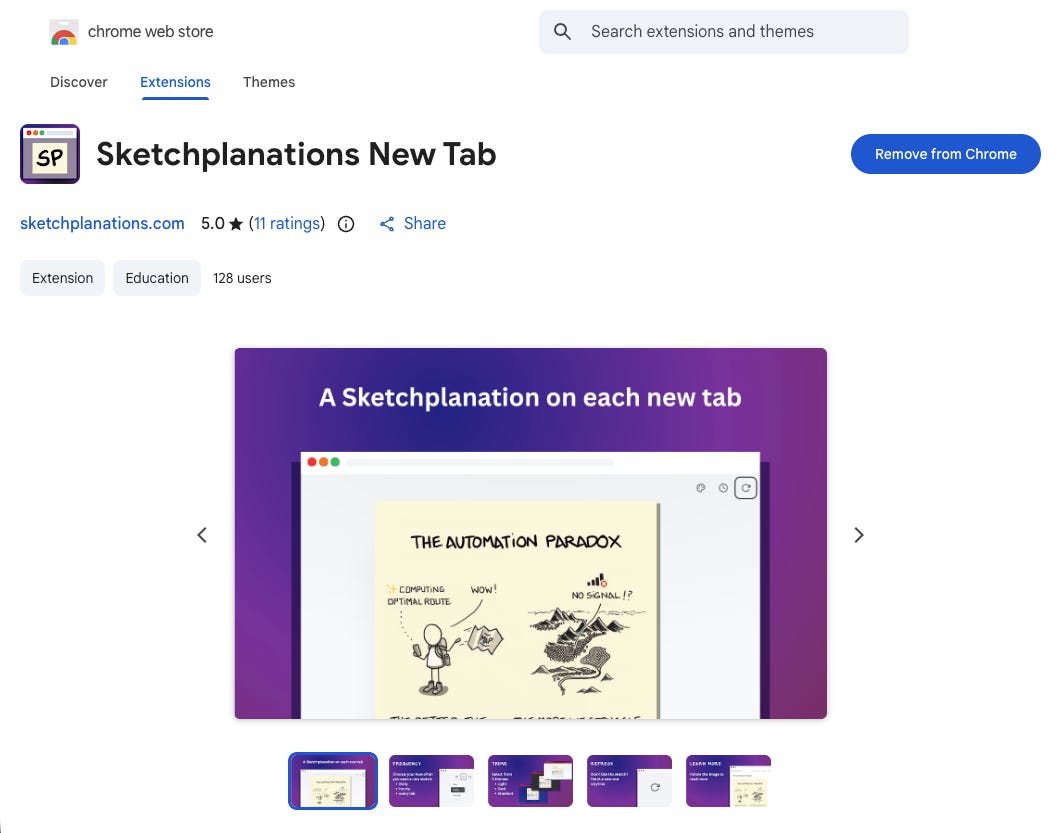
I still did all of this.
It’s not a drawback, just something that still needs considering.
---
Since I wrote the initial drafts of this article, coding with AI has continued to get more impressive and do more of the process for you at a higher standard. If you have an idea you want to try, my advice is to try it. Even if you don’t launch a product, you will surely learn a lot along the way.
I’m still sceptical of services that profess to launch a whole product for you from a single sentence. Perhaps the primary lesson is that much of the hard part of building software is still figuring out what you actually want. And you’ll probably still have to do a lot of that.
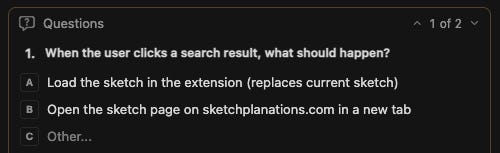
If you use Chrome and want to try the extension (and please give me feedback!) you can try it here:
If you give something a try, I’d love to hear how you get on.
Have you had a different experience? Things I should learn? Let me know.